How to Retro Claim IndiGo Flights with BluChip (Step-by-Step)
Flew IndiGo recently without adding your BluChip number? You have 90 days to retro claim those points. Here's exactly how to do it, what to do if it's not working, and how many points you'll get.
Flew IndiGo recently but forgot to add your BluChip membership number when you booked? Or maybe you didn't even have a BluChip account at the time?
Don't worry. IndiGo lets you retro claim points for any flight taken in the last 90 days. The process takes about 2 minutes, and the points show up almost instantly. Here's how.
What Is a Retro Claim?
When you fly IndiGo without your BluChip membership number linked to the booking, the airline can't credit you with points automatically. A retro claim lets you go back and claim those points after the flight, as long as you do it within 90 days of travel.
This also works if you only signed up for BluChip after your flight. As long as the flight was within 90 days of your enrollment date, you can still claim it.
How Many Points Will I Get?
IndiGo BluChip awards points based on how much you spent on the flight, not the distance flown. You earn BluChips on the base fare plus add-ons like seat selection, meals, and extra baggage.
The exact earn rate depends on your BluChip tier, but even at the base level, a few unclaimed flights can add up to a meaningful number of points.
Step-by-Step: How to Retro Claim
The whole process takes about 2 minutes. You just need your booking PNR.
Step 1: Log into your BluChip account
Go to goindigo.in and log into your account. If you don't have a BluChip membership yet, sign up first (it's free). Then come back to this step.
Step 2: Go to Profile > Dashboard
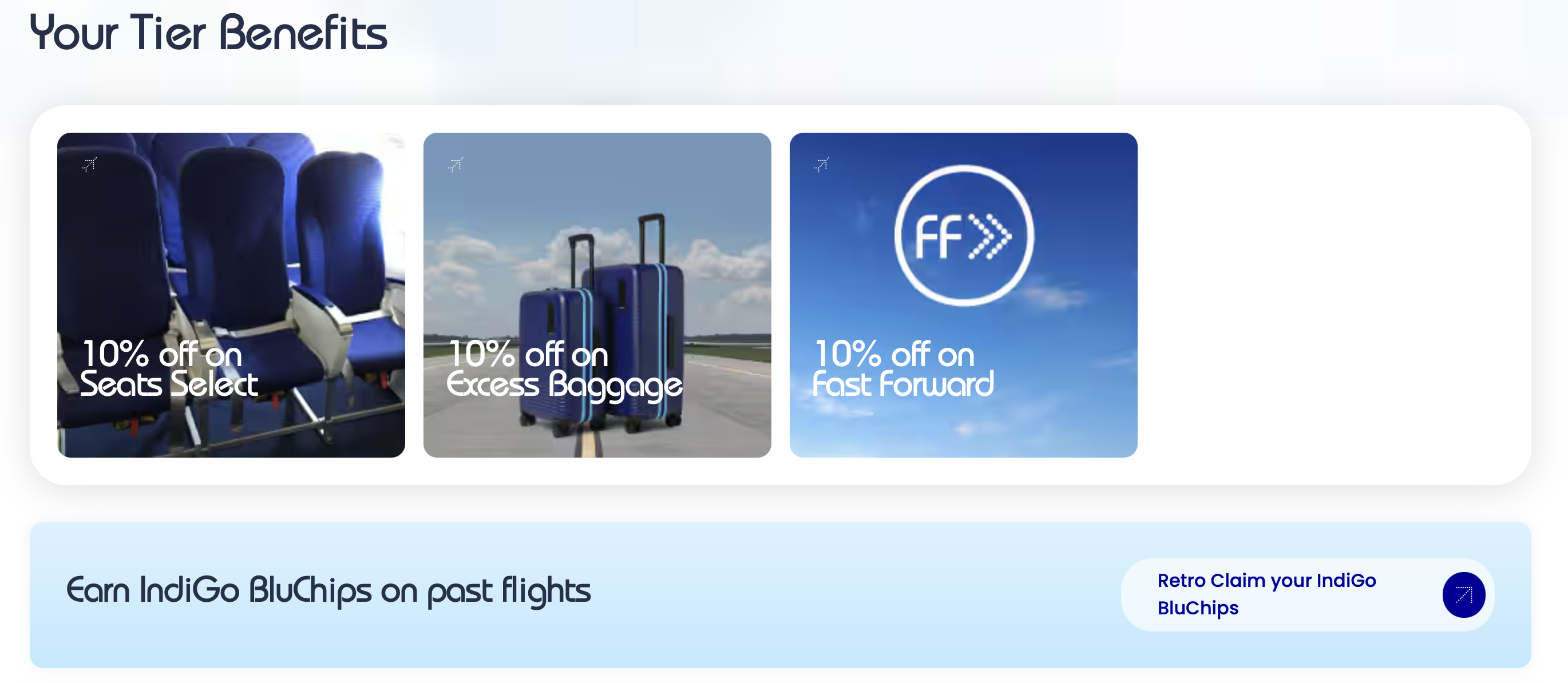
Once logged in, navigate to your profile and open the Dashboard. Scroll down past your tier benefits to find the "Earn IndiGo BluChips on past flights" section. Click the Retro Claim your IndiGo BluChips button.
Step 3: Enter your PNR
This is the easy part. Unlike Air India's retro claim process (which asks for ticket numbers, flight dates, and booking class), IndiGo keeps it simple. Your name is auto-filled from your account. Just enter your booking PNR and the date of travel.
You'll find the PNR in your IndiGo booking confirmation email, SMS, or in the "My Bookings" section of the IndiGo app.
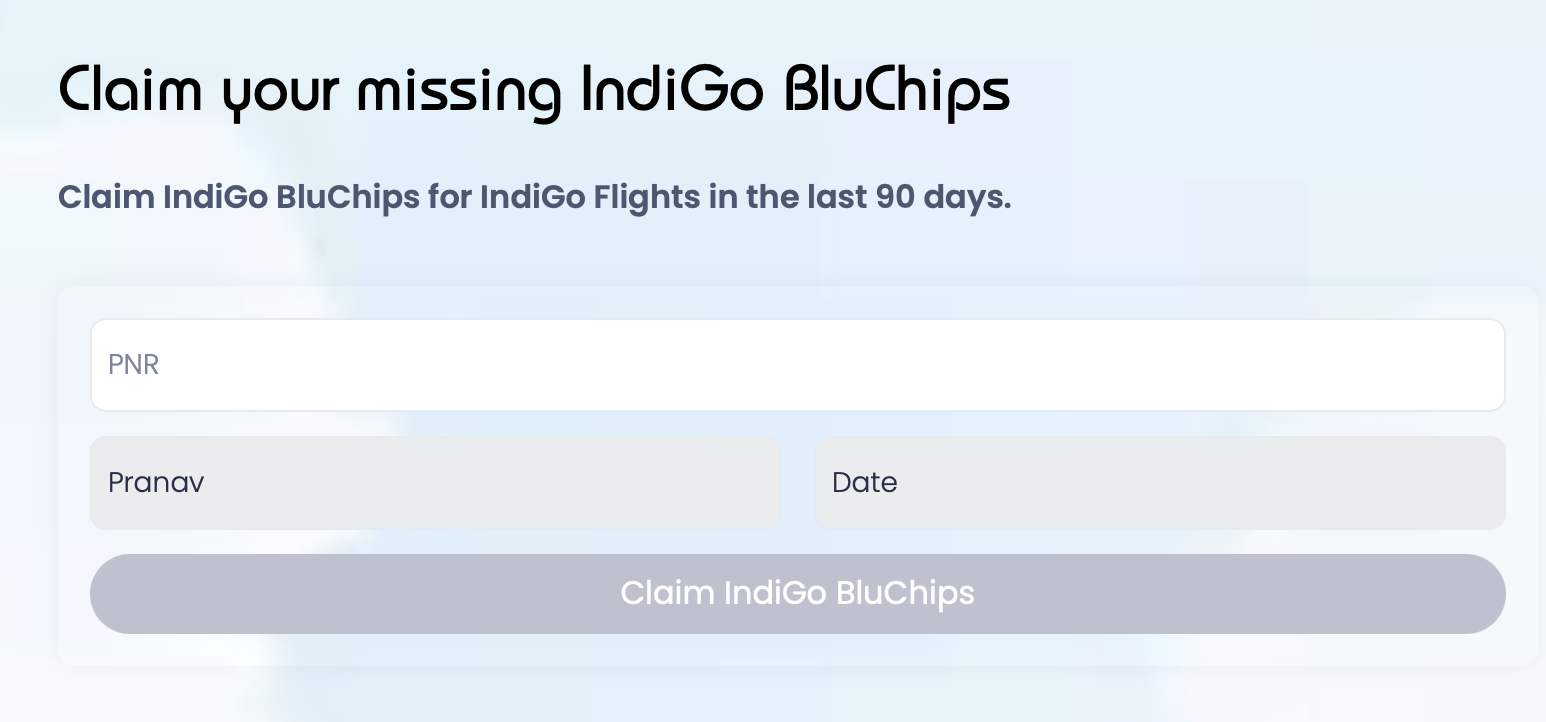
Step 4: Submit and check your points
Hit "Claim IndiGo BluChips." If the flight is eligible, your BluChips get credited almost instantly. You can check the transaction summary right there on the page.
That's it. No documents to upload, no approval wait time, no follow-up emails.
What If Retro Claim Isn't Working?
This is by far the most searched question about IndiGo retro claims, and for good reason. The feature has been intermittently unavailable throughout 2025-2026 due to app and website updates. If you're seeing errors or the retro claim page isn't loading, here's what to do:
Try the desktop website instead of the app
The IndiGo app doesn't always show all BluChip features. The desktop website at goindigo.in/loyalty/dashboard/retro-claim.html is more reliable for retro claims. If you've been trying on the app, switch to a desktop browser and log in again.
Check if your name matches
Your name on the booking must match your BluChip account name exactly. Even a small mismatch (like a missing middle name, or "Jr." vs no suffix) can cause the retro claim to fail silently. Check both your booking confirmation and your BluChip profile to make sure they match.
DM IndiGo on X (Twitter)
If the retro claim page itself is down or broken, IndiGo's support team on X (@IndiGo6E) can process retro claims manually. Send them a DM with:
- Your BluChip membership number
- The PNR(s) you want to retro claim
- A screenshot of the error you're seeing
They'll typically process it within 24 to 48 hours.
Call IndiGo BluChip support
If Twitter isn't your thing, you can also call the BluChip Member Support Team:
- Phone: +91 124-617-3838 or +91 124-497-3838
- Email: [email protected]
Remember the 90-day deadline
Whatever workaround you use, make sure you get it done within 90 days of the flight. After that, the points are gone and IndiGo won't process the claim even manually.
What You Can't Retro Claim
A few things that aren't eligible:
- Award flights (flights booked using BluChip points don't earn more points)
- Flights older than 90 days (no exceptions, even through customer support)
- Flights where someone else was the passenger (the BluChip account holder must have been on the flight)
What Can You Do With BluChips?
BluChips can be redeemed towards future IndiGo flights. The value of each BluChip is dynamic and varies by route, date, and demand. On average, 1 BluChip tends to be worth around Rs 0.30 to 0.60, but if you find a good route where the points price is low relative to the cash fare, you can get significantly higher value out of them. There are no blackout dates and no expiry (as long as your account stays active), so there's no rush to redeem. Let them accumulate and use them when the value makes sense.
You can also earn BluChips passively by linking your Swiggy account (1 BluChip per Rs 250 spent across food, Instamart, and Dineout).
For a broader picture of how airline loyalty programs work in India (including how to earn miles on Air India, Singapore Airlines, and more), check out our beginner's guide to airline miles.
Frequently Asked Questions
How long do I have to retro claim an IndiGo flight?
90 days from the date of travel. If you signed up for BluChip after the flight, you have 90 days from your enrollment date. There are no extensions.
Do I need my boarding pass for a retro claim?
No. All you need is your PNR (booking reference). Enter it on the retro claim page and the system handles the rest.
Can I retro claim flights I booked through MakeMyTrip or Yatra?
Yes. As long as you have the IndiGo PNR (not the OTA booking reference), you can retro claim the flight. The IndiGo PNR is usually in your OTA booking confirmation email, sometimes labeled as "Airline PNR" or "Airline Confirmation."
Do BluChips expire?
No, BluChips don't expire as long as your BluChip account remains active. There are no blackout dates on redemptions either.
The retro claim page shows an error. What do I do?
Try the desktop website instead of the app. If the page itself is down (which has happened periodically in 2025-2026), DM @IndiGo6E on X with your BluChip number and PNR(s). They can process it manually.